

Javascript Arrays 101

Imagine you're packing a bag for a trip. You don't carry one bag per item, one bag for your shirt, another for your charger, another for your shoes. That would be chaos. You put everything into one bag.
Arrays work the same way in JavaScript. Instead of creating a separate variable for every piece of data, you group related values together in one place.
So What Exactly Is an Array?
An array is a collection of data. That data can be of different kinds — numbers, strings, booleans, or even a mix of all three.
let marks = [88, 74, 91, 65, 97];
let fruits = ["apple", "mango", "banana"];
let mixed = [42, "hello", true];
The values sit together, in order, under one variable name. That's really the whole idea.
Here's why that matters. Say you want to store the names of five students:
// Without an array
let student1 = "Aarav";
let student2 = "Priya";
let student3 = "Rohit";
let student4 = "Sneha";
let student5 = "Dev";
That's five separate variables just for five names. Now imagine fifty students. With an array, it collapses into one line:
let students = ["Aarav", "Priya", "Rohit", "Sneha", "Dev"];
How to Declare an Array
In JavaScript, you create an array using square brackets []. Put your values inside, separated by commas.
let fruits = ["apple", "mango", "banana"];
let scores = [45, 78, 90, 55];
let days = ["Mon", "Tue", "Wed", "Thu", "Fri"];
You can also create an empty array and add values to it later:
let cart = [];
How Arrays Are Indexed
Every item in an array has a position called its index. The Index starts from 0 and not 1.
let fruits = ["apple", "mango", "banana", "grape"];

console.log(fruits[0]); // "apple"
console.log(fruits[1]); // "mango"
console.log(fruits[3]); // "grape"
So the first item is at index 0, the second at 1, and so on. Think of it like floors in a building where the ground floor is Floor 0.
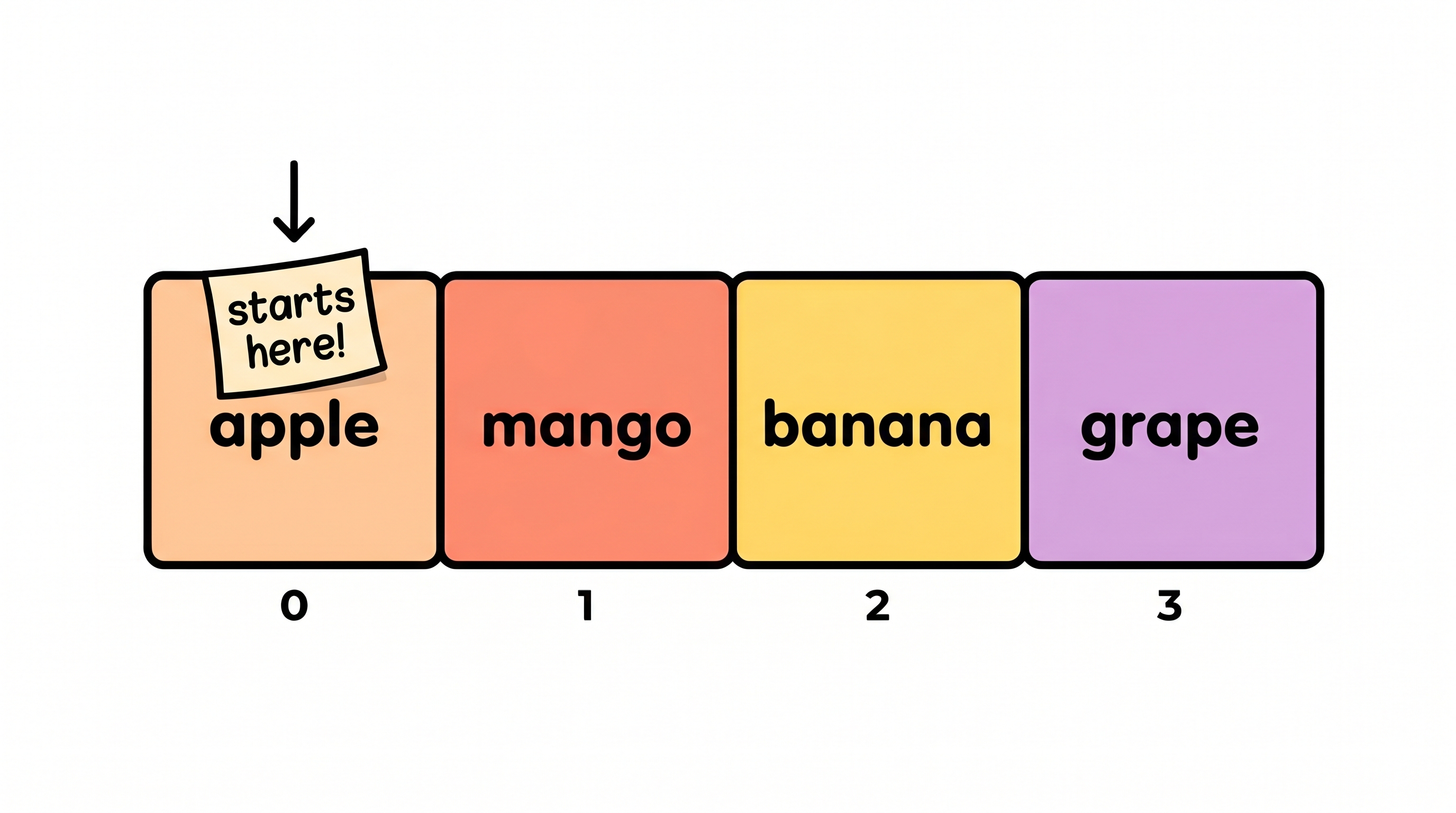
If you try to access an index that doesn't exist, JavaScript doesn't crash — it just gives you undefined:
console.log(fruits[10]); // undefined
And a really useful trick — getting the last element without knowing the array's length:
let last = fruits[fruits.length - 1];
console.log(last); // "grape"
fruits.length gives you the total number of items (4 here), and subtracting 1 gives you the last valid index (3). Works for any array, no matter how long.
What Can You Store in an Array?
let numbers = [1, 2, 3, 100];
let names   = ["Riya", "Kabir", "Zara"];
let flags   = [true, false, true];
let mixed   = [42, "hello", true, null];
You can even store arrays inside arrays those are called nested arrays — but that's a topic for another day. For now, just know there's no strict rule on what type of data goes in.
Updating a Value
You access an element by its index and assign a new value. Done.
let fruits = ["apple", "mango", "banana"];
fruits[1] = "pineapple";

console.log(fruits); // ["apple", "pineapple", "banana"]
Index 1 used to hold "mango". Now it holds "pineapple". Everything else stays as-is.
Looping Over an Array
This is where arrays really show their value. Instead of manually printing each item, you let a loop handle it.
let fruits = ["apple", "mango", "banana", "grape"];

for (let i = 0; i < fruits.length; i++) {
  console.log(fruits[i]);
}
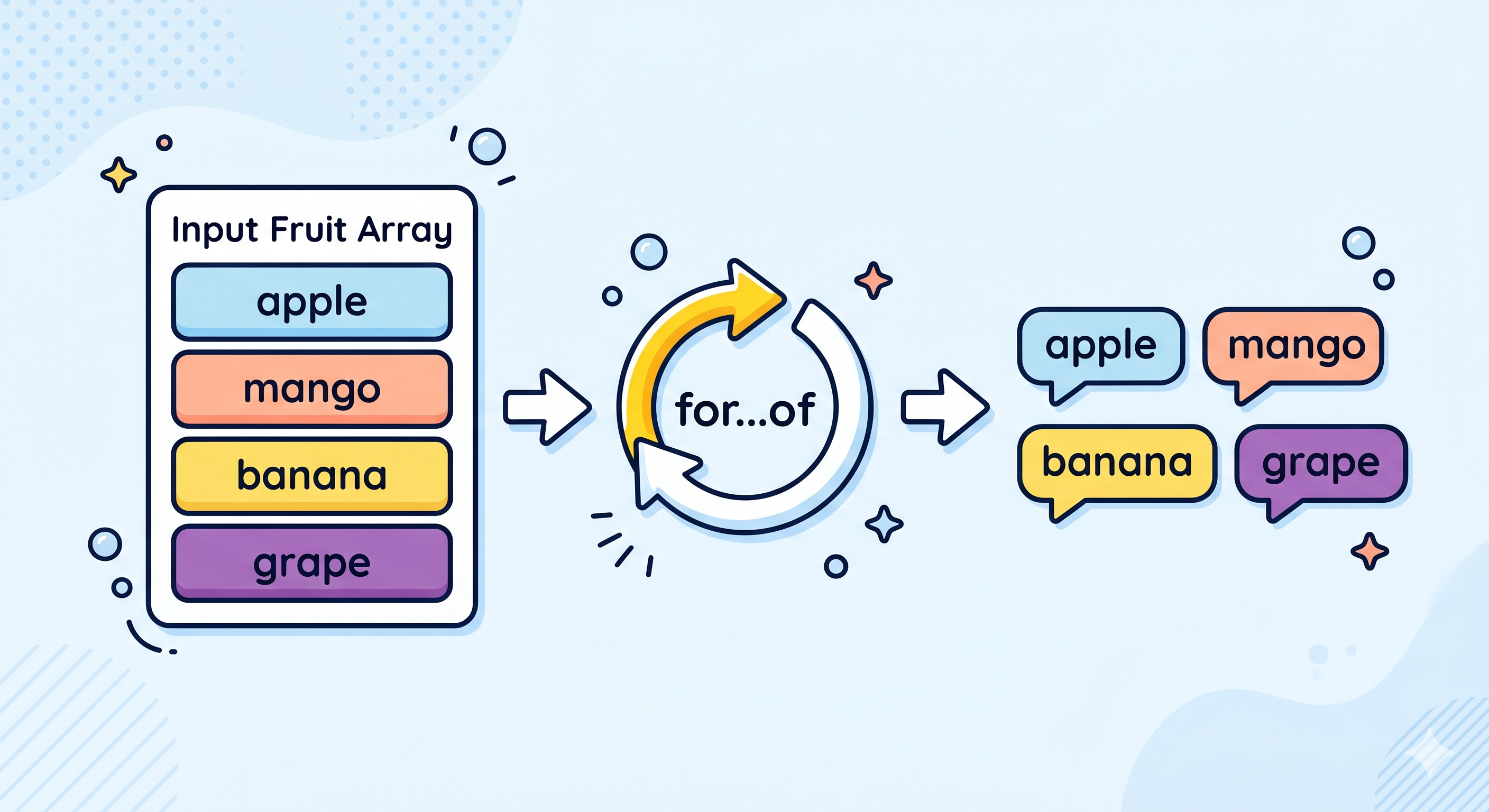
Or with the cleaner for...of syntax:
for (let fruit of fruits) {
  console.log(fruit);
}
Both print every item, one by one. The loop doesn't care if there are 4 items or 400 it handles them all.
Try It Yourself
// 1. Create an array of 5 favorite movies
let movies = ["Inception", "Interstellar", "The Dark Knight", "Parasite", "3 Idiots"];

// 2. Print the first and last element
console.log(movies[0]);
console.log(movies[movies.length - 1]);

// 3. Update one value
movies[2] = "Oppenheimer";
console.log(movies);

// 4. Loop through and print all
for (let movie of movies) {
  console.log(movie);
}
Run this in your browser console.
Quick Recap
An array groups multiple values under one variable.
Declare one with square brackets:
let arr = [1, 2, 3].Indexes start at 0.
Update any item:
arr[0] = "new value".arr.lengthtells you the size.Loop with
fororfor...ofto go through every item.


